
PicCollage: Photo Video Editor
Cardinal Blue Software, Inc.Photography
4.7130.88K Reviews
- Version
- 7.30.9
- Installs
- 100.00M
- Age Rating
- Everyone
Screenshots
Our Review of PicCollage: Photo Video Editor
 Analysis by Appyee
I find PicCollage: Photo Video Editor most useful when I want a group of photos to tell one clear story, rather than simply sit together in my camera roll. It turns a handful of pictures into a shareable page without asking me to learn a full design program. That makes it appealing for casual keepsakes, greetings, and quick social posts, though it is not the right fit for every editing job.
Who benefits most from a guided collage workflow
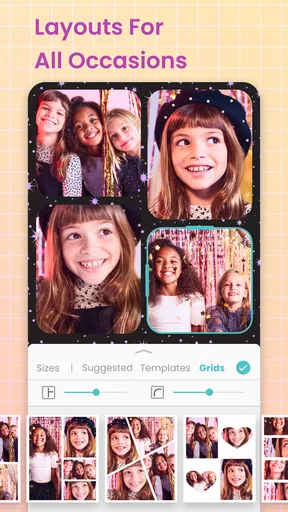
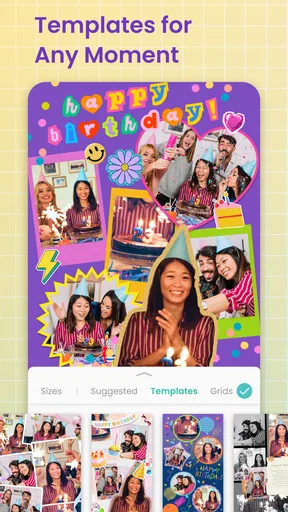
For a family recap, a birthday greeting, or a small collection of trip photos, I like having a layout to start from instead of facing a blank canvas. Templates and grids help me make a decision quickly; I can spend my time choosing images and adjusting the composition rather than building every element from scratch. The trade-off is that a template can make several people’s creations feel alike, so I would change the crop, wording, or decoration rather than use the first option unchanged.
A realistic use is putting together a few pictures from a weekend visit while the memory is still fresh. I would choose a simple grid, give the largest space to the photo that best captures the day, and use a short caption to explain the smaller details. That is often more readable than squeezing every image into one crowded page. If the collage is intended as a greeting, I would check that the message remains legible at phone size before sharing it.
Readability and navigation in everyday editing
The approachable layout is helpful when I only want to make one quick project, but ease of entry does not mean every design decision is automatic. A page with many photos, stickers, and lines of text can become difficult to scan. I try to decide on the main image first, then add only the pieces that help tell the story. This keeps the result clearer and also makes the editing process less fiddly.
PicCollage is a photography app from Cardinal Blue Software, Inc. It is free to download, with optional in-app purchases ranging from $0.99 to $59.99 per item. Its age rating is Everyone, and it has a 4.7 average from around 1.8 million ratings, with over 100 million installs. Those figures suggest broad appeal, but they do not tell me whether a particular layout will suit my needs; I still judge the finished design on its own.
Motor and sensory considerations
Editing a collage involves selecting pictures and making small placement choices, so it can take patience if precise taps or repeated adjustments are uncomfortable. I would favor a grid when I want less manual arranging, and keep the number of decorative details low. A busy page can be visually tiring, while a restrained layout gives the photos and any caption more room to breathe.
For a quick result, I find it sensible to choose the photos before opening the editor and to have a rough idea of the order. That reduces back-and-forth while I build the page. It also helps when I am working in a noisy or distracting setting: fewer decisions and a simple template make it easier to finish without losing track of the original idea.
Where PicCollage fits—and where it doesn’t
Compared with a basic photo editor, this app is more focused on combining images into a designed composition. Compared with a full graphic-design tool, it favors a guided, approachable process over deep control. I would choose it for a quick collage or a themed card, but use a more specialized editor when I need precise layout control or a polished, consistent design system across many materials.
Situational access and practical limits
The app can be a convenient choice when I have a phone and a few minutes, but the screen size affects how comfortably I can judge spacing and small text. For something intended to be printed or viewed at a larger size, I would inspect the saved result carefully before ordering or sharing it. The app also offers printing, but I would treat the final check as part of the workflow rather than assume a design that looks fine on a small screen will work equally well everywhere.
PicCollage includes photo and video collage creation, though a montage is not a substitute for a dedicated video editor when I need detailed control over timing or a more involved edit. Likewise, its templates can speed up a greeting, but I would skip a preset if the message feels cramped or the visual style does not suit the occasion. A simple arrangement of fewer images is often better than forcing every photo into the same design.
Version, value, and a thoughtful verdict
The current version is 7.23.11 and it requires iOS 11 or later. Because it is free to start, I can try the basic creative workflow before deciding whether optional purchases are worth considering. I would pay only if a particular paid item solves a real need for me; the wide purchase range makes it sensible to check the cost of an item before committing rather than assume every decoration is included.
My inclusive verdict is that PicCollage makes photo arranging feel approachable, especially for people who prefer a guided starting point and a quick, visual result. It is less suitable when fine motor adjustments are difficult, visual clutter is a concern, or a project demands detailed control; in those situations, a simpler grid or a different editing tool may be more comfortable. For everyday cards and memory collages, I would start with a clean layout, add only what improves the story, and take a moment to check the finished image before sharing.
Getting Started with PicCollage
The first thing I noticed about PicCollage is how easy it is to get started. Once you download it from the app store, you’re greeted with a friendly, intuitive interface that doesn’t require a tech-savvy brain to navigate. You can dive straight into creating without spending ages figuring out how things work. Just tap on the type of project you want to create, and you’re off!
Features That Stand Out
Alright, let's talk features. What makes PicCollage a must-have on your phone?
- Templates Galore: Need inspiration or in a rush? The app is packed with a variety of templates for every occasion. From birthdays to weddings, there’s something for everyone.
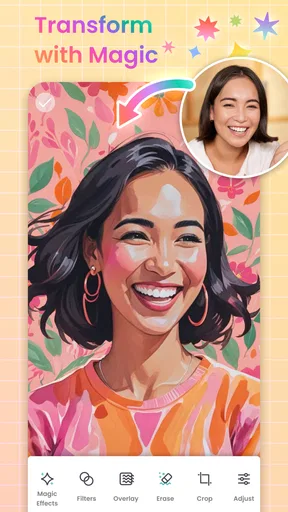
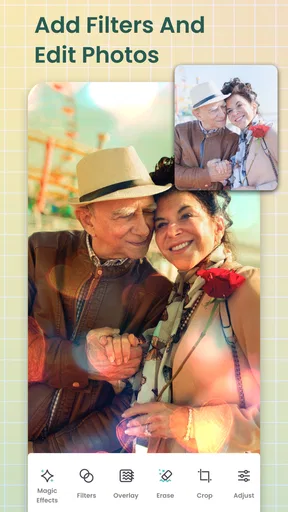
- Intuitive Editing Tools: The editing tools are pretty straightforward. You can easily crop, adjust colors, and add filters to your photos. Plus, the app lets you doodle on your pics, which is a fun way to personalize your creation.
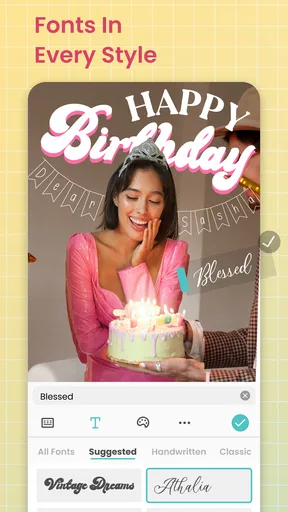
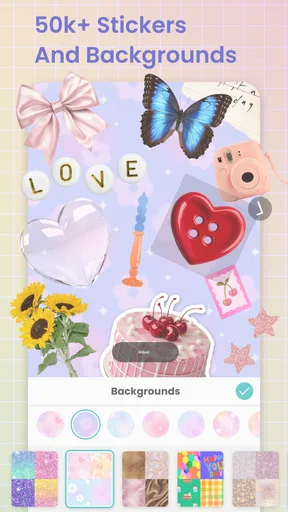
- Stickers and Fonts: If you’re like me and love adding quirky stickers and pretty fonts, you’re in for a treat. There’s a huge library of stickers and fonts to choose from, which adds a unique flair to your collages.
- Video Montages: Not just about photos, folks! You can create video collages too. Simply select your videos, trim them as needed, and arrange them into a montage that tells your story.
Creating and Sharing Your Masterpieces
Once your masterpiece is ready, sharing it is as simple as pie. You can save it to your device or share it directly on social media platforms like Instagram, Facebook, or even through messaging apps. The app keeps the quality intact, so no worries about your creations appearing pixelated when shared.
Another cool feature is the ability to print your collages. Whether it’s for a scrapbook or a personalized gift, the app allows you to print directly, making it super convenient to bring your digital art into the real world.
Why You'll Love It
What I appreciate the most about PicCollage is its versatility. Whether you’re creating a quick collage for fun or putting together a professional-looking montage for a special event, the app has got you covered. It's like having a mini design studio right in your pocket!
Plus, the app is regularly updated with new content and features, keeping things fresh and exciting. It’s clear the developers are committed to providing a top-notch user experience.
A Few Tips from My Experience
- Experiment with Layers:
- Don’t hesitate to play around with layers. It’s a great way to add depth to your collages.
- Make Use of Grids:
- If you’re a fan of symmetry, the grid feature can help you align everything perfectly.
- Explore Seasonal Content:
- Keep an eye out for seasonal stickers and templates. They can add a timely touch to your creations.
So, there you have it! PicCollage: Photo Video Editor is a fantastic tool for unleashing your creativity and sharing your memories in style. Whether you’re a seasoned designer or just someone who loves to dabble in DIY projects, this app is worth a spot on your home screen. Happy collaging!
Verdict
Strengths of PicCollage: Photo Video Editor
- User-friendly interface for quick editing.
- Wide variety of templates available.
- Supports both photo and video editing.
- Easy sharing to social media platforms.
- Frequent updates with new features.
Limitations of PicCollage: Photo Video Editor
- Ads can be intrusive in free version.
- Some features locked behind paywall.
- Occasional crashes on older devices.
- Limited font options for text.
- Watermark on exports in free version.
Similar Picks in This Category
View All
Google Photos
Google LLC4.4

Gallery
Google LLC4.2

Picsart AI Photo Editor, Video
PicsArt, Inc.3.9

B612 AI Photo&Video Editor
SNOW Corporation4.1

BeautyPlus-Selfie Photo Editor
PIXOCIAL TECHNOLOGY (SINGAPORE) PTE. LTD.4.5

Remini - AI Photo Enhancer
Bending Spoons4.1
You May Also Like
View All
Frequently Asked Questions
What features does PicCollage offer for editing photos and videos?
PicCollage provides a wide range of features that include templates, stickers, backgrounds, and text options for creative photo and video editing. Users can easily crop, rotate, and resize their media, as well as apply filters and effects to enhance their creations. The app also allows for easy sharing on social media platforms.
Is PicCollage free to use, or are there in-app purchases?
PicCollage is free to download and use, offering a variety of basic features at no cost. However, it does include optional in-app purchases for advanced features, premium templates, and ad removal. Users can choose to subscribe to PicCollage VIP for a more comprehensive editing experience without limitations.
Can PicCollage be used offline, or does it require an internet connection?
PicCollage can be used offline for basic editing and creating collages. However, an internet connection is needed to download new templates, stickers, and to share your projects directly to social media platforms. Offline usage may limit access to some of the app’s more dynamic and updated content.
Is PicCollage suitable for professional use, or is it more for casual users?
PicCollage is primarily designed for casual users looking to create fun and engaging photo and video collages. While it offers a variety of creative tools, it may not have the advanced editing capabilities required by professional designers or photographers. It's best suited for personal projects and social media content creation.
How user-friendly is PicCollage for beginners?
PicCollage is highly user-friendly and accessible for beginners. The interface is intuitive, with easy-to-navigate tools and features. The app offers tutorials and tips to help new users get started quickly, making it ideal for those with little to no experience in photo or video editing. Its simplicity ensures a smooth editing experience.
